Home / Animation / AccuRIG

AccuRIG

Free desktop auto-rigging app from Reallusion. You place joint guides on a humanoid character in an A or T pose, it builds the skeleton and skin weights, and you export a rigged FBX for Unity, Unreal or Blender, or USD.

Category
Animation
Pricing
Free
Beginner rating
★★★★★ 4/5 How we rate
Rating points
  • ✓ Free to try: 1
  • ✓ Works with no setup: 1
  • ✓ Works with your game: 1
  • ✗ Clear commercial-use terms: 0
  • ✓ Docs or tutorials: 1

We could not find a license page for the free AccuRIG app on Reallusion's site, so the commercial terms point scores 0. Reallusion staff have said on its forum that a character that is 100% your own can be sold after rigging.

Think this rating is wrong? Tell us

Why this rating
A guided five step desktop app: load your model, check the joint guides, rig, and export. You need to install it and log in with a Reallusion account.
Visit AccuRIG ↗

What AccuRIG does

Free desktop auto-rigging app from Reallusion. You place joint guides on a humanoid character in an A or T pose, it builds the skeleton and skin weights, and you export a rigged FBX for Unity, Unreal or Blender, or USD. It is listed in our Animation category.

Pricing and free tier

AccuRIG is listed as free. Plans change often, so confirm on the official site before you pay.

Best use for beginner game devs

We rate AccuRIG 4/5 for beginners, which makes it a beginner friendly choice. A guided five step desktop app: load your model, check the joint guides, rig, and export. You need to install it and log in with a Reallusion account.

Best for: Rigging a humanoid AI-generated character on your own computer when Mixamo struggles with it, with hand rigs and a choice of finger count. The free (ActorCore) version can import a character made of several meshes but cannot rig them separately, and has no skin weight editing, which needs the paid Character Creator. Export FBX for Unreal, Unity, Blender, Maya, Cinema 4D, MotionBuilder and 3ds Max, or USD for Omniverse (checked on actorcore.reallusion.com and the AccuRIG 2 manual, Oct 28, 2026). ActorCore motions you add in the app can cost extra: the manual has an Add to Cart step for motions before export.

Alternatives to AccuRIG

See every option on the Animation page.

More Animation tools

Mixamo

Free Adobe service that auto rigs characters and applies ready made animations.

Free ★★★★★

Plask

Browser based AI motion capture and animation editor.

Freemium · $18/mo (billed yearly) ★★★★★

Cascadeur

Character animation software with AI assisted physics and posing.

Freemium · $19/mo ★★★★★

Step by step guide: How to rig an AI-generated 3D model for free.

New to game dev? Read Make your first game with free AI tools.

Free starter pack for Animation beginners

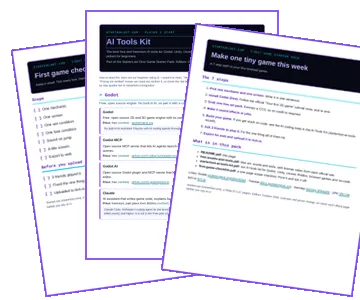
Pair these tools with a 7-step first game path, free art and sound picks with license notes, and a printable checklist, and our AI tools kit for Godot, Unity, Unreal and Roblox. Plus one short tool tip a week. No spam, unsubscribe any time.

No spam. Unsubscribe in 1 click. Privacy See past issues

Preview of the First Game Starter Pack: the README, the AI Tools Kit and the first game checklist