Home / 3D Models & Textures / StudioTwin

StudioTwin

AI asset toolkit that generates concepts, 3D models, character animation, PBR materials, HDRI environments and sound effects through one MCP connection that works with Claude Code, Cursor, Codex and other agents. It has an Unreal Engine plugin (5.6 to 5.8), and models import into Blender with its addon.

Category
3D Models & Textures
Pricing
Free
Beginner rating
★★★★★ 4/5 How we rate
Rating points
  • ✓ Free to try: 1
  • ✗ Works with no setup: 0
  • ✓ Works with your game: 1
  • ✓ Clear commercial-use terms: 1
  • ✓ Docs or tutorials: 1

Think this rating is wrong? Tell us

AI helpers
StudioTwin MCP works with Claude Code, Cursor, Antigravity, Codex, OpenClaw, Hermes and other MCP clients. It runs inside Unreal Engine via the plugin, in Blender via Remote MCP plus the StudioTwin addon, or as standalone Remote MCP. Free Starter plan: 100 credits per month, no credit card, credits reset monthly. Pro is listed as coming soon with no published price (studiotwin.ai, checked October 28, 2026).
Why this rating
One command installs the agent skill and it walks you through setup, but you work through an AI agent and MCP rather than a simple web page, so it suits beginners who already use Claude Code, Cursor or Codex.
Visit StudioTwin ↗

What StudioTwin does

AI asset toolkit that generates concepts, 3D models, character animation, PBR materials, HDRI environments and sound effects through one MCP connection that works with Claude Code, Cursor, Codex and other agents. It has an Unreal Engine plugin (5.6 to 5.8), and models import into Blender with its addon. It is listed in our 3D Models & Textures category.

Pricing and free tier

StudioTwin is listed as free. Plans change often, so confirm on the official site before you pay.

Best use for beginner game devs

We rate StudioTwin 4/5 for beginners, which makes it a beginner friendly choice. One command installs the agent skill and it walks you through setup, but you work through an AI agent and MCP rather than a simple web page, so it suits beginners who already use Claude Code, Cursor or Codex.

Best for: Generating meshes, materials, HDRIs, motion and sound effects from an AI agent straight into an Unreal Engine project, or importing models into Blender via the StudioTwin addon.

Alternatives to StudioTwin

See every option on the 3D Models & Textures page.

More 3D Models & Textures tools

Spline

Browser based 3D design tool with AI generation for interactive scenes.

Freemium · $15/mo ★★★★★

Tripo

Generates 3D models from text or images, with auto rigging options.

Freemium · $20/mo ★★★★★

Step by step guide: How to rig an AI-generated 3D model for free.

New to game dev? Read Make your first game with free AI tools.

Free starter pack for 3D Models and Textures beginners

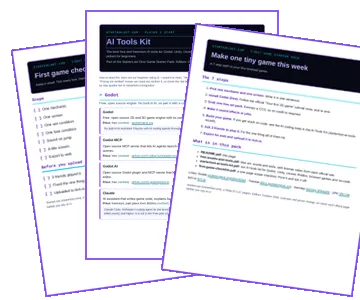
Pair these tools with a 7-step first game path, free art and sound picks with license notes, and a printable checklist, and our AI tools kit for Godot, Unity, Unreal and Roblox. Plus one short tool tip a week. No spam, unsubscribe any time.

No spam. Unsubscribe in 1 click. Privacy See past issues

Preview of the First Game Starter Pack: the README, the AI Tools Kit and the first game checklist